Use booking pace to decide what to sell and when
Compare pickup, channel mix and rate restrictions, then verify what guests can actually book.

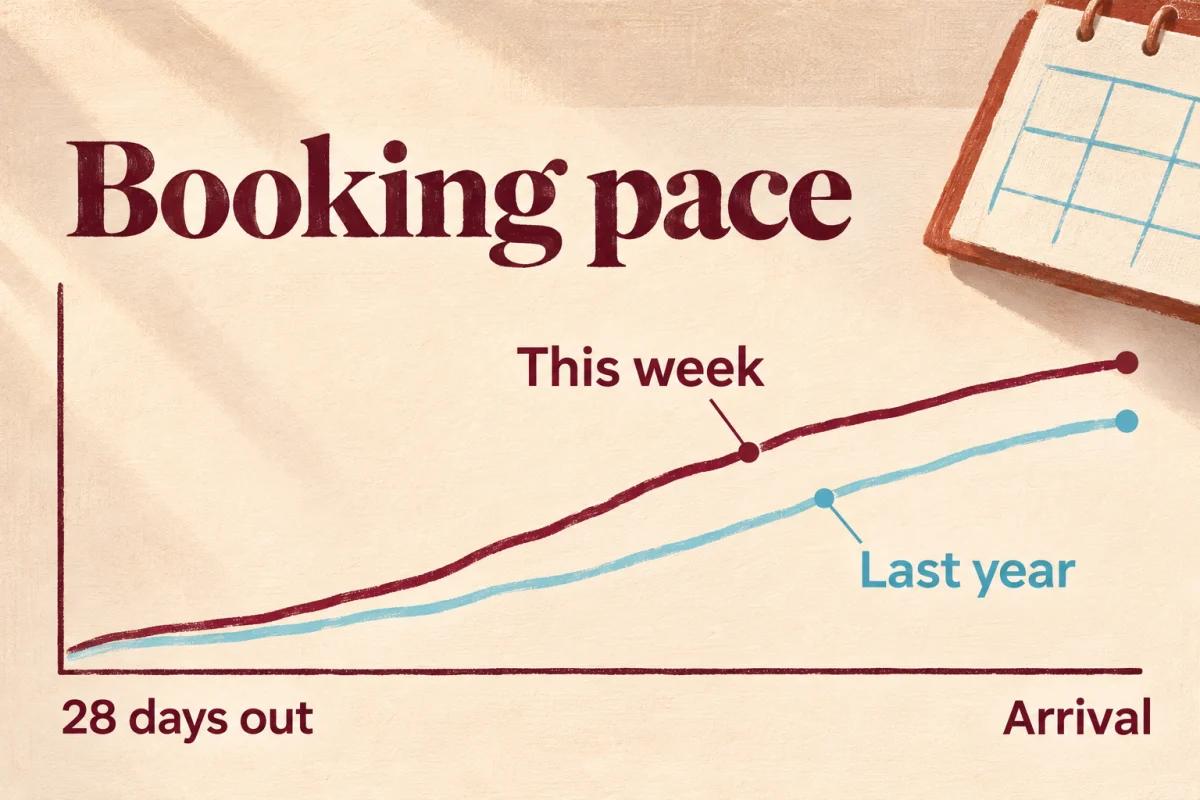
Compare booking pace at the same lead time
Look at how many rooms have been added or cancelled for each stay date since your last review. Compare that position with a similar period at the same number of days before arrival. A school holiday weekend can shift dates from one year to the next, so check comparable demand alongside the calendar. Ask whether the pickup view shows net changes and whether you can see cancellations separately from new reservations.
Use event demand to make a specific rate decision
Take a Saturday night when a festival is drawing bookings well ahead of forecast while Friday remains soft. Review what is already on the books by room type and account for any group allotment. Check whether a two-night minimum would help sell Friday or shut out useful Saturday demand. Record the change you plan to make, which dates and room types it covers and when you will look again.
Check the rate as a guest would see it
Compare like-for-like public offers, including occupancy, inclusions and cancellation terms. Then test the selected change on a direct rate and a connected OTA rate. Search for a one-night and a two-night stay so you can see whether the intended restriction took effect. Decide who follows up when a published rate or availability restriction fails to reach a channel and who can roll back the change.
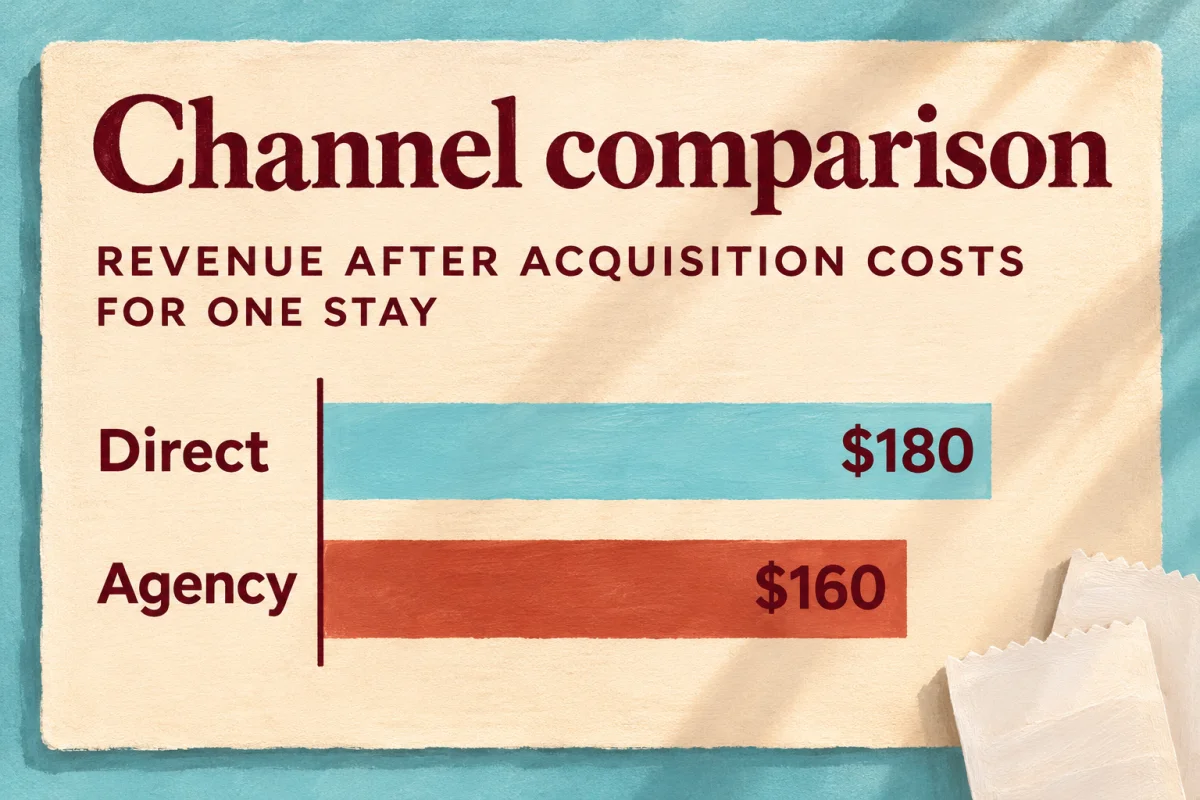
Review room revenue alongside the cost of each channel
After a change, compare pickup and room revenue by channel for the affected stay dates. Include commission, promotional cost and payment fees where you have them. A channel that filled several rooms may have brought a different contribution per booking once those costs are counted. Check whether the reports give you sufficient detail or whether you need to join them with channel statements in your own analysis.
Agree who can publish and override rates
Work through a late change to an event or a sudden group cancellation. Ask how quickly the duty manager can alert revenue staff, who can approve a revision and how the front desk can confirm today’s sellable rate. If you use rate recommendations, ask what demand data informed them and what controls apply when data is incomplete. Review where the team can see the most recent update before making another one.
Stayclouds products for these workflows
- Reporting & business intelligence
Track hotel performance, build reports for each team, and investigate changes in the underlying records.
- Revenue management
Set room rates using demand, booking pace, and the prices guests see at comparable hotels.
- Hospitality intelligence
Bring bookings, guest activity, market demand, and channel performance together for AI forecasting and hotel reporting.